Combat & interactions
I am creating this blog to show the progress I have made with the Machine World Rogue-like game. This is a fan game based on Blame! by Tsutomu Nihei.
My first video of my progress
Combat
Equipping weapons
Since the last blogpost, the weapons have been overhauled. Currently, all weapons (including unarmed) are put in a backpack and are attached to the player at the start of the game. A “weapon equipper” function swaps between attaching and detaching weapons for the player’s use.
Weapons
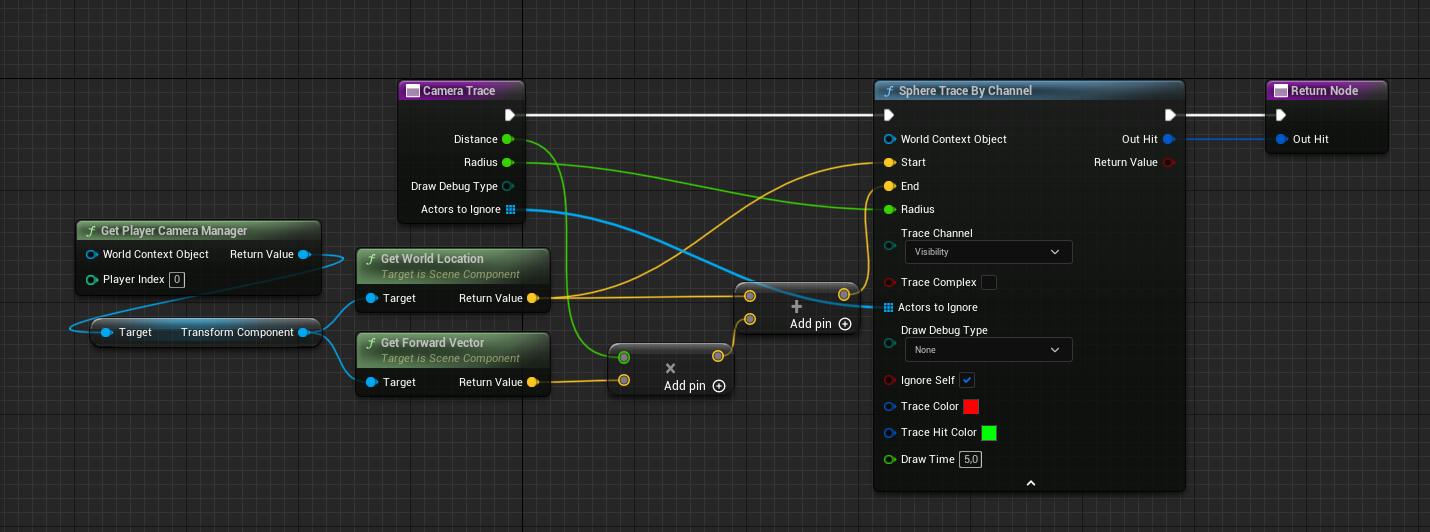
The weapons use sphere traces when fired to scan the environment, spawn emitters on fire and emitters on the impact location and apply damage to any actor that can receive it. The sword makes 2 different sphere traces on sockets on the sword. These traces start and stop on the attack montages notifiers.
Enemy
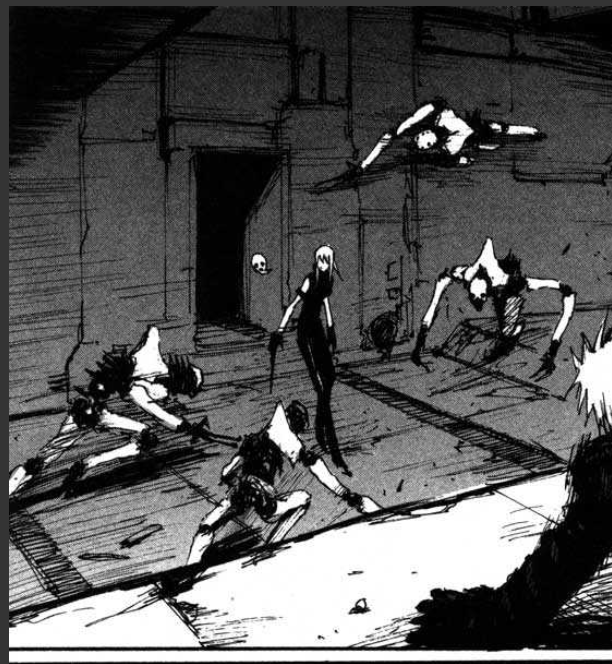
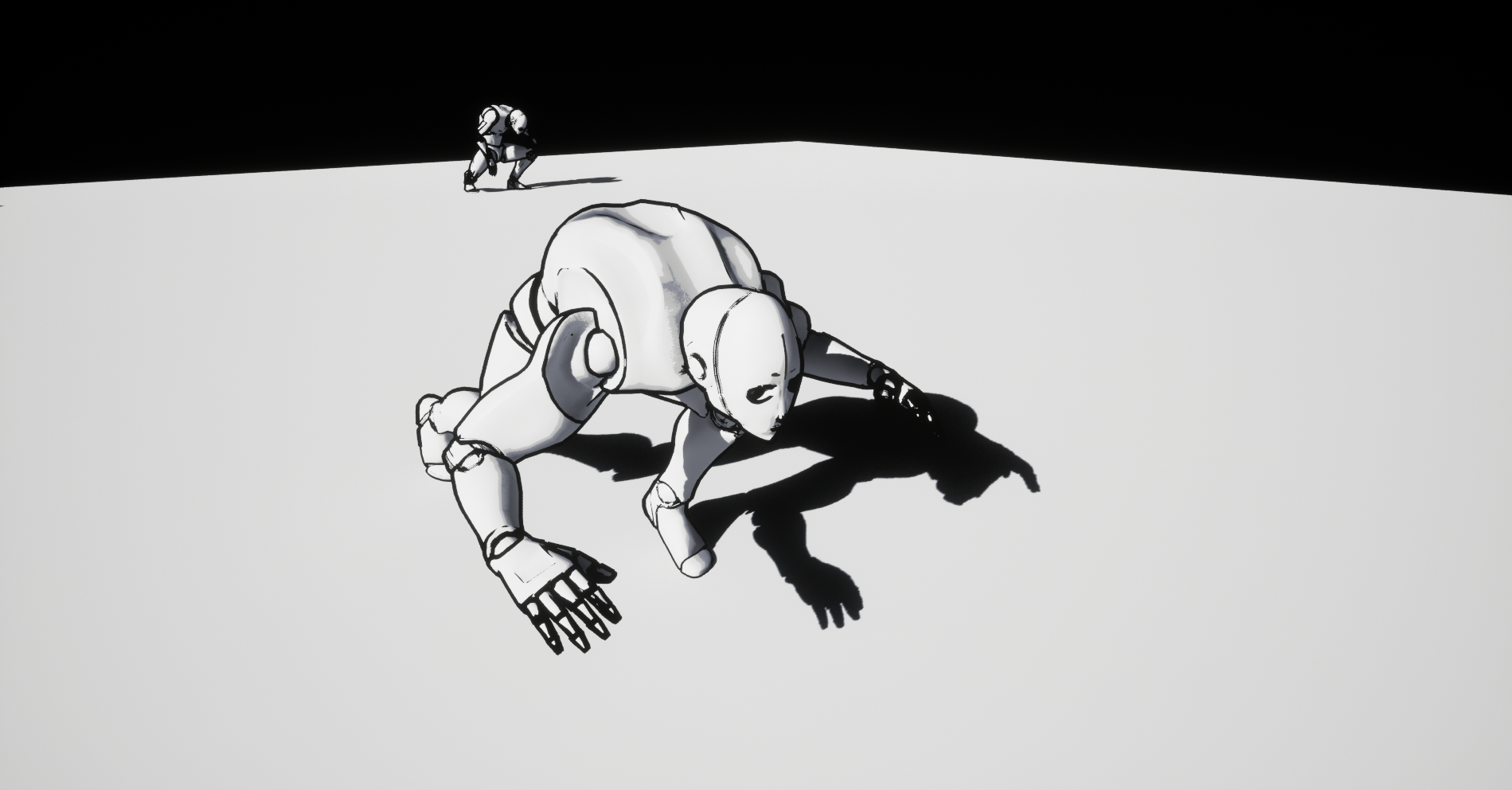
One of the most iconic enemies in Blame! is the Safeguard Exterminator. I made a Control Rig for the Unreal Engine mannequin and created a Level Sequence to make animations. The enemy behaviour comes from a Behaviour tree which is activated once the player interacts with the enemy’s Pawn Sensing Component. On death, the enemy will ragdoll because it is fun. The movie made the Exterminator’s movement look quite goofy so I used the manga as a reference.
Interactions
Climbing
The endless City is big and, unlike a normal city, extends vertically as well. This means the player needs tools to go upwards. The player character has a forward and height sphere trace on a custom trace channel that allows it to detect walls and ridges. If the player jumps to a wall that can be climbed, the character will first hang to the ridge, locking the camera Yaw. Moving forward will make the character climb up. Standing close to a ladder will attach the player to the ladder and limiting movement to up and down and also locking the camera yaw.
Control panels
Control panels have collections of doors, lights, machines and other control panels that can be turned on and off when interacted with. Lights are collected in a Lighting Collection BP that has an array for Lights to turn on and Light to turn off. The control panel only needs to interact with the Lighting Collection. In the video, a control panel turns off all the red lights and turns on all the white lights, turns on the big generator machine above it and activates the “crafting control panel”.
Items
Items that are picked up unlock the player’s access to new weapons and abilities. Picking up the laser rifle will allow the player to use “4” to make the weapon equipper function to equip the laser rifle. All weapons are already attached to the player character from the start but the weapon equipper will hide them until a boolean unlocks the action event that equips another weapon. Picking up the “double jump boots” simply sets the player character’s Jump Max Counter to 2.
Other changes & takeaways
The environment is now also lit by a skylight to make the faraway mega structure visible without directly lighting it with spot or rect lights.
A very, very basic objective system is added for showcase purposes. The quest system I made did not work properly and required me to remake items, their pickups, enemy behaviour and spawning objectives in general. It will come in a future update.
All environment props now come from blueprints. Earlier versions of the project had only static meshes, which I have been told is a sin. The blueprints do make it easier to change variables and allows me to add the material switch function shown in the previous blog post.
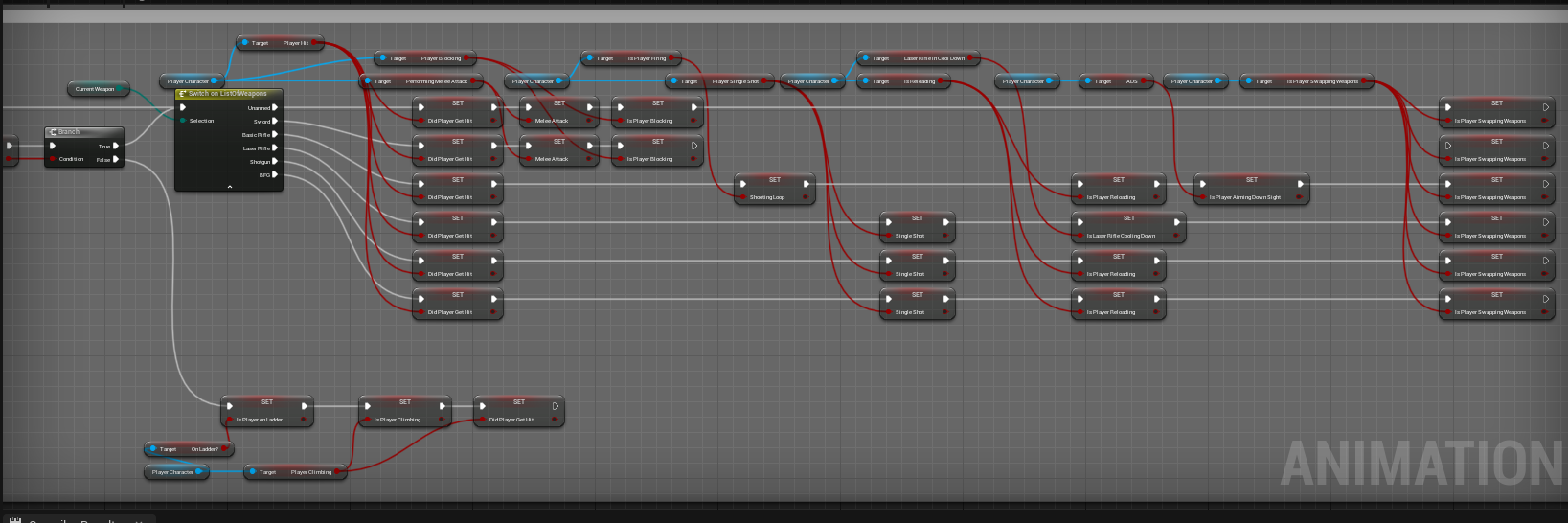
The player character’s Animation blueprint has been massively expanded, adding unique animation state machines for:
- Unarmed
- Melee
- Basic Rifle
- Laser Rifle
- All these state machines are saved in caches and blended further with aim offsets and moving the hands to appropriate parts of the weapons.
I have decided that using the third person character meshes supplied by Epic Games for a FPS game makes things needlessly complicated. Since I learned how to Rig skeletal meshes and create retargeters, I will convert many animations to the FPS arms (also supplied by Epic). This will remove some of the immersion by not having legs but I might add a camera switch when interacting with certain environmental actors (like how Deus Ex shows the full character when climbing stairs). The player character blueprint will need to become cleaner. Right now, a lot of the weapons functionality is handled here. I intend to move all these functions back to the weapons themselves.
Hello,
Love the details, I’m have been thinking of doing a blame! like game for almost 15 years now, and when I decided to do it, I came across your youtube video, which then prompted me to come checkout your Blog.
Out of curiosity are you still working on this project?
Hi!
Yes, I am still working on the game but in a lower capacity than before. Currently, I am finishing my Game Design study so that takes up most of my time.
I did change some things however. The player character is now in third person so I can have the opportunity to show upgrades the player made to their character (be it biological or robotic). I am also steering towards roguelite gameplay so I can emphasise the passage of time within the Megastructure. Things like : That village of people you encountered on your previous run is now abandoned and partially rebuilt by Builders; maybe they left, maybe the Safeguard got to them.
The main activities now are mainly theoretical world building. I don’t think the player should play as Killy; He is too powerful at unpredictable moments. I am leaning towards a nameless batch of clones (useful for roguelites as we can link the amount of clones to how many tries you have left) and this way the player character could get upgrades from “Humans” to Cyborgs to Safeguard without breaking character lore (as Killy hates Cyborgs). Other than that, I am designing a few types of settlements and biomes the player could encounter throughout their journey.
My biggest problem however is making the environment feel like the Megastructure that has been created and recreated by the machines. The outline shader works decently most of the time and the cellshader is fine but I am not really satisfied with them anymore. Lighting is currently my biggest hurdle because I cannot use sunlight. I got less bad at using Blender so that might help with creating nicer environments.
If I play my cards right, I get to create a tool for procedurally generating heavy scifi levels for my graduation project. If all goes to plan, I might have some nice stuff in about 9 months or so… who knows (:
All I can say about making a Blame! game is: Just start somewhere. Pick a page from the manga and try to emulate it. If you never start, nothing will happen. If you do start, something might.